 Marco Sebastiano Alessi |
April 27, 2026
Marco Sebastiano Alessi |
April 27, 2026


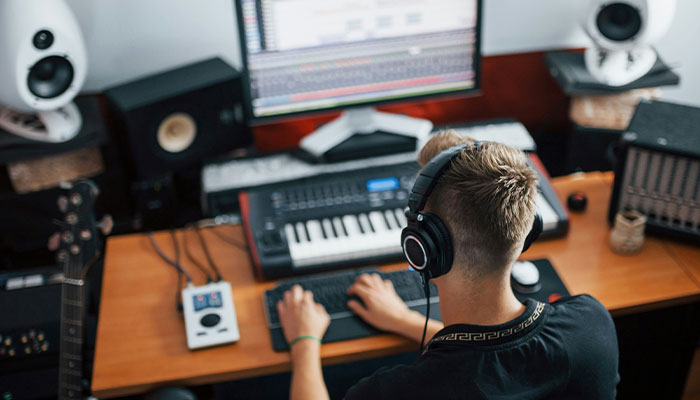
Nowadays, any song you listen to on the radio or your favorite streaming platform was most likely recorded using multitrack recording. Since its inception, multitrack recording has changed how we produce music, podcasts, and other audio projects today.
Today, we’ll discuss the basics of multitrack recording, then review the top multitrack recording software options for 2026.
Let’s dive in!
What Is Multitrack Recording?
Multitrack recording is the process of recording multiple sound sources (vocals, instruments, or microphones) separately onto individual, independent tracks, allowing them to be mixed and processed independently later. This method enables layered, high-quality production where artists can record parts at different times or adjust specific levels, EQ, and effects without affecting the entire recording.
Multitrack recording allows individual instruments to be recorded simultaneously or separately, either on the same day or across multiple days. For example, a band can record all members at once or schedule sessions for each musician, enabling multiple takes or added layers.
Before the development of multitrack recording, it was necessary for all musicians involved in a musical performance to be in the same place and play the song together. So if anyone made a mistake, the recordings had to start all over.
After the invention of stereo tape recording, multitrack technology was developed, and the first four-track and eight-track machines appeared. A few decades later, in the 1970s, portable, affordable multitrack recorders were more widely available to the general public. Multitrack recording on magnetic tape was more accessible.
By the 1990s, digital software like Pro Tools and Cubase made multitrack recording standard and more accessible to future music producers.
Today, all you need for multitrack recording is:
- A computer.
- Digital audio workstation (DAW) or multitrack recording software.
- Audio interface with multiple channels or a multitrack recording device.
- Portable multitrack recording if you don’t want to rely on a computer and software.
- Microphones and cables to connect your instruments to your audio interface or multitrack recorder.
Benefits of Multitrack Recording
Each advancement in multitrack recording has unlocked new opportunities for audio production, with distinct benefits in 2026.
More Control
Producers can adjust, edit, or remove unwanted elements such as background noise and volume, and add EQ and other effects during post-production to create a high-quality mix and fix recording issues.
Flexibility
Musicians don’t have to be in the same room to record. They don’t even need to be in the same country! Now everyone can record remotely and send the tracks to the mixer or audio editor. In podcasts, it is more common to use online tools to record each participant individually for interviews or collaborations.
Versatility
In addition to music production, multitrack recording is widely used in film for mixing dialogue, effects, and music, and in podcasting to edit and balance the volume levels of each speaker independently.
Overdubbing
Overdubbing is the process of recording new parts on top of previously recorded tracks (layering), allowing for complex compositions and adding more instruments, even when the musicians are not playing together simultaneously. It’s also helpful to re-record mistakes without having to redo them.
12 Best Multitrack Recording Software in 2026
Now, let’s review the best multitrack recording software available in 2026. You'll find on this list DAWs, audio editors, and remote multitrack recording alternatives for podcasting and radio that are currently leading the industry.
1. Samplitude
Samplitude is a professional DAW for detailed engineering and mastering, with advanced object-based editing for surgical editing, multitrack recording, and post-production. It’s the best choice for Windows users who need surgical precision.
In Samplitude, every audio clip on the timeline is called an “Object,” where you can apply a complete signal chain with EQ, dynamics, VST, and pitch/time-stretching to individual clips rather than to the entire track. This gives you greater control and efficiency when editing your multitracks.
Samplitude is designed for large-scale recording sessions, supporting up to 999 tracks and 256 physical inputs, with 32-bit floating-point recording when your hardware supports it. The Hybrid Audio Engine uses a 64-bit engine to manage latency effectively, allowing you to monitor effects with minimal delay.
Pros:
- Object-based editing.
- Effective latency management with the Hybrid Audio Engine.
- Improved lighting-fast workflow.
- Up to 999 tracks for multitracking.
- The Take Composer lets you view all takes to compare, edit, and combine them.
- A comprehensive library of VSTi and effects.
Cons:
- Only available for Windows.
- Slight learning curve.
2. Avid Pro Tools

Pro Tools is still the undisputed industry standard for high-end recording and post-production studios, offering high-precision editing and robust mixing capabilities. It’s best for professional audio editing, large-scale recordings, and film and TV post-production.
Pro Tools uses a rigid track structure with specific tracks for Audio, Aux, Master, VCA, Instruments, and MIDI. Which can feel complicated for someone coming from a modern DAW with flexible track types, but it’s also one of its strengths to have an organized project session.
It features industry-leading recording with zero-latency and 32-bit support. The QuickPunch feature is great for jumping into record mode on the fly and recording different takes. With playlist comping, you can record all your takes into playlists within a single track, from which you can choose the best one and send it to the main track.
Pros:
- High-quality recording.
- Punch-in recording tools.
- Comping playlists to create the perfect take.
- Up to 16 (Artist), 64 (Studio), or 256 (Ultimate) simultaneous recording inputs, depending on your version.
Cons:
- The “analog” workflow may not be for everyone.
- It only uses the AAX plugin format.
3. Cubase

Cubase is another popular name in the industry. It was born as a MIDI recording software, but today it excels in composition and hybrid production for both MIDI and high-end multitrack recording, making it a best fit for film scoring and complex MIDI arrangements.
For professional multitrack recording, you’re going to love the Control Room feature, which is a dedicated monitoring environment that stays separate from your project’s mixer. When recording a group simultaneously, you can create up to 4 different headphone mixes for each performer and recording engineer.
Other great features for multitracking are the Audio Alignment tool, which analyzes multiple tracks and aligns their timing. Audio Pre-Record and Retrospective Record to capture audio or MIDI while in stop mode, so you never miss a good take or idea.
Pros:
- Advanced MIDI editing.
- Comping workflow.
- Inspiring songwriting tools.
- Retrospective Record.
- Over 20 GB of sounds and loops.
Cons:
- High CPU usage.
- Cluttered user interface.
- Steep learning curve.
4. Ableton Live

Ableton Live is unique because it offers two distinct workflows for multitrack recording: the Session View (a non-linear grid for improvisation and clip-launching) and the Arrangement View (a traditional linear timeline). It is best suited for live performance, electronic production, and loop-based songwriting.
With the latest releases, Live has significantly strengthened its position in traditional multitrack audio tasks, with solid features for multitrack recording and comping, making it a great choice for pop and rock music, despite its reputation as an electronic music-only DAW.
Comping is easy. Every recording in a loop creates take lanes for each pass, so you can easily audition takes and use Draw Mode to “promote” the best sections to the main track. Other Live highlights include the Warp engine for time-stretching and real-time manipulation, and conversion tools for extracting audio data and placing it on MIDI clips, offering additional creative possibilities.
Pros:
- Dual workflow view.
- Comping tools.
- Warp engine for time stretching and real-time manipulation.
- Audio to MIDI conversion.
Cons:
- High cost for the suite version.
- It is slowly catching up on features that other DAWs have had for years.
- Performance issues.
5. Apple Logic Pro
Logic Pro is the top choice for multitrack recording and a natural progression for Apple users transitioning from GarageBand. It is known for its excellent composition and MIDI features, but recent updates have turned it into a high-end restoration and multitrack editing suite. Logic is best suited for singer-songwriters and professional composers.
Logic is designed to handle high-fidelity recording with minimal technical friction, featuring Flashback capture and low-latency mode. The quick swipe comping feature makes comping easy by simply swiping over the best parts of each take and selecting the definitive version.
Other of Logic’s most beloved features are the Flex Time and Flex Pitch tools, which are top-notch warping and pitch tools for audio without the need for third-party plugins to achieve professional results.
Pros:
- High-quality suite of virtual instruments and plugins.
- Flex tools.
- Easy transition from GarageBand.
- AI-driven session players.
Cons:
- Only for Mac computers.
- Only supports AU plugins.
6. Reaper
If you want efficient, lightweight, highly customizable, and affordable multitrack recording software, Reaper is all you need. It’s considered the “engineer’s choice” because it can handle complex projects with minimal crashes, and it’s best suited for technical editors, podcasting, and users with low-resource computers.
The most distinctive feature is the unified track philosophy: all tracks are identical and can simultaneously serve as audio, MIDI, or bus tracks, and each track supports up to 128 audio channels.
The latest major Reaper update introduced track lanes and swipe comping to record passes into vertical lanes on a single track, and to swipe to select the best sections as the main take. Other helpful tools are Razor edits to select regions across multiple tracks and edit them individually or as a unit, and if you like scripting, you can automate repetitive tasks with a single key.
Pros:
- Affordable.
- Stability and low CPU usage.
- Customizable workflow.
- Swipe comping and track lanes.
- Unlimited tracks (only limited by your hardware).
Cons:
- The script freedom can be hard to understand.
- Fairly steep learning curve.
- No VST library.
7. GarageBand
Apple GarageBand is considered one of the best entry-level audio production software options. However, it can also be a powerful tool for professionals, as it uses the same high-quality audio engine as Logic Pro. I still recommend GarageBand to Mac users starting their first projects because of its simplicity, intuitive UI, and zero price tag.
GarageBand is more than capable of working with multitrack recordings, and its focus is on removing the complex routing and busing found in other tools. Users in the Apple ecosystem can use the GarageBand iOS app to record, then finish the project on their Mac.
You can record up to 255 tracks, and with a compatible audio interface, you can record simultaneous inputs. GarageBand also features multi-take capability, allowing you to audition takes to select the best performance, as well as Flex time tools, and an AI-driven session drummer who plays along with your recorded tracks.
Pros:
- Easy to use and intuitive.
- Free.
- High-quality engine.
- A decent library of loops and instruments.
Cons:
- Limited routing.
- No dedicated mixer.
8. Fender Studio Pro
Fender Studio Pro (formerly PreSonus Studio One) is recognized for its modern, comprehensive MIDI and audio capabilities and its user-friendly interface. Following Fender’s acquisition, it now integrates legendary Fender amp models, making it popular for all-around audio productions and band recordings.
Among Fender Studio Pro's best features is the single-window interface, which lets you keep all arrangement, editing, and mixing in a single main window. However, as projects grow in complexity, the window can become cluttered. Something to consider if you work with tons of tracks in your projects.
It features unlimited tracks, a high-performance engine, and low-latency monitoring for high-quality multitrack recording. The drag-and-drop function lets you drag instruments, effects, plugins, and audio files directly onto the track.
Pros:
- Visual, drag and drop workflow.
- Built-in Fender amps.
- AI-powered stem separation to separate audio.
- Chord assistant.
Cons:
- Stability issues.
- Limited native instruments.
9. Adobe Audition

Adobe Audition is an audio post-production software that features multitrack, waveform, and spectral display for creating, mixing, editing, and restoring audio content. It’s best suited for podcasters, vloggers, content creators, and video production.
Unlike other DAWs on this list, Audition lacks MIDI and virtual instrument capabilities for music production. It is one of the industry-standard tools for mixing and mastering audio content for videos and podcasts.
The multitrack editor lets you arrange, mix, and record audio, and the Essential Sound Panel lets you tag each audio clip as Dialogue, Music, or Sound Effects to unlock specialized editing tools for adjusting levels, removing hisses, and removing background noise.
The Waveform editor and Spectral Frequency Display give you more control to manipulate the amplitude of the waveform and restore or clean your audio tracks.
Pros:
- Adobe CC integration.
- Professional audio restoration tools.
- Professional multitrack & editing.
Cons:
- Pricey subscription model.
- Not suited for music production.
10. Audacity
Audacity has undergone a major transformation, shifting from a destructive editor to a more robust audio recording software. Though it has become a digital multitrack recorder effectively, it’s best for basic recording and quick audio cleanup, or for beginner content creators and podcasters.
One of the most interesting updates is the ability to add effects in real time, nondestructively. Not just that, it also supports a chain of VST3, AU, and LV2 effects that you can tweak during playback without worrying about overwriting the original audio file. Aside from the option to record multiple tracks, you can also apply Master effects, which allows you to add limiters and EQs to the entire multitrack project at once.
A new feature, Smart Clips, lets you trim and drag the edges of audio clips nondestructively, allowing you to adjust your edits later in the project.
Pros:
- Free.
- Easy to use.
- Simple multitrack layering.
- Great built-in tools.
- Supports VST3, AU, and LV2 plugins.
Cons:
- Not suited for music production.
- Outdated UI.
- Limited real-time monitoring.
11. BandLab
BandLab is a cloud-based, collaborative DAW that works primarily in your web browser or mobile app and is considered a simplified version of GarageBand. It’s best for collaborative projects and cross-device workflows.
BandLab’s main feature is collaboration. You can share a session and invite other music producers and audio editors to your project, so they can add tracks and edit existing parts without worrying about sending large WAV files or managing local files.
BandLab has a few limitations compared to the other multitrack recording software in the list. Track count limits vary by membership tier: 16 for the free tier and 32 tracks for the paid tiers. All projects are limited to 15 minutes, which is fine for songs or demos, but can be an issue for long-form multitrack recordings like podcasts or interviews.
Pros:
- Free.
- Beginner-friendly.
- Great for collaborative projects.
- Cross-platform.
Cons:
- Requires an online connection.
- Limited track count.
- Latency issues.
- No VST support.
- Potential data loss due to cloud sync issues.
12. FL Studio

Finally, I want to include FL Studio (formerly FruityLoops). It is best known as a pattern-based sequencer for electronic music and beatmaking, but it can also handle multitrack recording. However, if you prefer the traditional linear timeline, it may not be for you.
FL Studio's pattern-based system can feel complicated and cumbersome. It allows you to place audio clips and MIDI on the same track, streamlining layering and sound design. However, if this feels too chaotic for you, FL Studio offers other ways to work, similar to a traditional linear editor with playlist tracks and the Edison audio editing and recording tool.
For multitrack workflows, the best approach is to work in Song mode and record into a playlist using the Track Mode to associate it with a Mixer Track. I can only recommend FL Studio if you’re already familiar with it. If not, go for one of the other options on this list.
Pros:
- Lifetime updates
- Edison audio editor is great for cleaning audio.
- Flexible routing.
Cons:
- Non-traditional workflow. It feels counterintuitive for basic multitrack recording.
- Complex takes comping and a lack of a dedicated track system.
- Fruity Edition does not support recording.
Final Words
The landscape for multitrack recording in 2026 keeps evolving, with more multitrack recording software integrating AI-assisted tools and listening to users to keep improving, fixing issues, and bringing new features that make audio production more accessible to beginners and simplify audio professionals' workflows.
If you want an "all-in-one" editing, mixing, and mastering-grade toolset right out of the box, get your Samplitude free trial today!
Good luck!